)

Thinking about adding a signature to your CV? It's a common question. After spending hours perfecting your CV, signing it can feel like the proper, professional way to finish it off. However, the world of recruitment has gone digital, and so have employers' expectations.
In the past, a signature was used to confirm that the information in your application was true. Today, the hiring process uses applicant tracking systems (ATS), online application portals, and email to handle applications. This modern approach values efficiency and data security more than traditional formalities.
For most jobs in the UK, a signature on your CV is not needed and can actually cause issues. A signature image can create privacy risks and might even cause your application to be rejected by automated screening software. This guide will walk you through why it's best to leave a signature off your CV, explain how hiring software reads your document, and suggest what you can do instead to help your job search.
Scroll to the bottom for a free CV checklist for a modern CV.
Ready to land that job?
Use our CV builder to create a professional CV
Tailor your CV for any job application
AI writing assistant to boost your CV
Quick, easy, and ready in minutes.
The pros and cons of adding a signature
While a signature might seem like a traditional mark of authenticity, the drawbacks outweigh the benefits in modern recruitment. Understanding the reality of how recruiters review applications will help you make the best choices for your career documents.
The pros of a CV signature
A signature may be requested separately in certain regulated industries, such as finance or the defence industry, where a declaration of truth is legally mandated. Even then, it is usually requested as a separate secure document.
Employers in these fields have strict compliance rules, but they rarely expect a signature on the initial CV.
Some international employers in certain European countries might still appreciate a signed document, but for the UK market, it is almost never a requirement.
The cons of signing your CV
Adding a signature provides no advantage during the initial screening process.
Most recruiters spend just a few seconds looking at your application. They are searching for relevant skills, work experience, and education.
A signature does not add any professional value to these sections.
If a recruiter has to scroll past an image of your signature, it simply distracts them from the content that actually matters.
Protect your personal information
Putting your signature on your CV can open you up to potential misuse.
Some people create fake job postings to collect personal data from applicants.
If you include your signature on your CV, it could be copied and used without your permission.
It's always a good idea to be careful with your personal information during a job search.
Pro Tip
Your signature is unique to you, so it's best not to share it on a document that will be sent to many different people.
Visual clutter and wasted space
A handwritten signature takes up valuable space that you could use to highlight your skills and experience.
A clean, professional layout is much more effective.
Instead of a graphic at the bottom of the page, use that space to add an extra bullet point about a recent achievement or a relevant software skill.
A professional CV should ideally be a concise one to two pages.
Every line of text must serve a purpose, and an image file simply wastes valuable real estate.

Must-have CV sections
Personal profile
Skills section
Work experience
Education
Learn more about how to write a good CV.
How applicant tracking systems view signatures
Including an image of your signature can confuse the software that recruiters use to read and rank your application. Applicant tracking systems are the gatekeepers of modern recruitment, and they prefer plain text over complex graphics.
Parsing errors and software confusion
Applicant tracking systems often struggle to read images. When an applicant tracking system scans your CV, it extracts text to populate the recruiter's database. A scanned signature can break the keyword extraction process, causing the system to miss vital contact information or experience details. If the software cannot read your document properly because a large image file has disrupted the formatting, your application may affect how your CV is processed by recruitment software before a human even sees it.
File format issues
Signature graphics behave like heavy images. These images can increase the file size of your document or cause formatting errors when the file is converted by the employer's software. This can drop your CV into a manual review pile or lead to outright rejection. An applicant tracking system (ATS)-friendly CV relies on standard text, clear headings, and simple formatting. Adding unnecessary visual elements like a signature scan will only create technical hurdles.
Efficiency and modern formatting
To optimise your application, a clean, text-based document is the most reliable way to ensure a computer can read your career history. When you build your CV, focus on using the right keywords from the job description rather than worrying about visual embellishments. If you are unsure how to format your document, using a professional CV builder can help you create an applicant tracking system (ATS)-friendly design that completely bypasses these technical issues.
Legal and compliance considerations in the UK
Strict data protection laws mean that employers generally prefer applications with minimal personal data. Companies are very careful about the type of data they store, and your signature is personal data that doesn’t need to be included at this stage.
UK GDPR rules regarding data
While signatures can be used for identification in certain contexts, including one on your CV is unnecessary and adds personal data without any benefit. Most companies want to minimise the amount of sensitive personal data, such as signatures and date of birth, they collect during the initial hiring stages to reduce their compliance burden when it comes to GDPR and job applications.
Modern workflows and secure platforms
Companies now use secure platforms like DocuSign or Adobe Sign to capture electronic signatures during the contract stage, long after the initial CV screening. This ensures that legal documents are signed securely and compliantly. You do not need to provide a signature until you have been offered the job and are reviewing your employment contract. The initial job application is simply a professional introduction, not a binding legal agreement.
Right to work and identity checks
Identity checks and legal declarations are handled through dedicated, secure portals rather than the initial application file. Employers in the UK are required to conduct specific right to work checks, but these involve verifying your passport or biometric residence permit securely. Your CV is a marketing document designed to secure an interview. It is not the appropriate place to prove your legal identity or right to work in the UK.
Practical recommendations for your application
You can project professionalism and confidence by formatting your CV to meet modern digital standards. Here are four actionable steps to ensure your application looks great and performs perfectly.
1. Type your name clearly
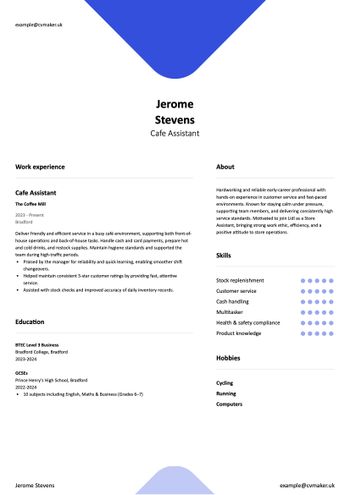
Place your name in bold at the top of the document instead of using a graphic or stylised font. Your typed name acts as the digital equivalent of an introduction. This is standard practice across all industries and is fully compatible with applicant tracking systems. Make sure your contact details, including your phone number and email address, are listed clearly right below your name.
2. Add a typed declaration if requested
If an employer explicitly asks for a declaration of accuracy, simply type, "I confirm that the information provided is true and complete," followed by your typed name and the date. This provides the necessary confirmation without the need for an image file. It keeps your document clean and easy for software to process. You will rarely need to do this, but it is a helpful workaround if a specific job description demands a declaration.
3. Keep your files clean
Save your document as a standard PDF or Word file, and strip out any background metadata to protect your privacy. A PDF is usually the safest choice because it locks your formatting in place, ensuring the recruiter sees exactly what you created. Make sure you check the job description, as some employers specifically request Word documents. Avoid adding watermarks, background images, or scanned signatures to these files.
4. Stay safe from recruitment fraud
Be cautious of recruiters who demand a physical signature before an interview, as this is outside standard UK hiring practices. Always verify the legitimacy of a job posting before sharing sensitive information. If an application process feels suspicious or asks for excessive personal data too early, trust your instincts and look for opportunities on verified platforms.
Free CV Checklist
)
Download this CV checklist free in PDF
Why leaving your signature off your CV is the smart choice
By leaving your signature off your CV, you can:
Protect your personal data. A signature can be misused, so keeping it off your CV is a safer option.
Improve readability for applicant tracking systems (ATS). These systems can struggle to parse images, which might cause your application to be overlooked. A clean, text-based document is more effective.
Follow modern hiring etiquette. Recruiters prefer streamlined documents that focus on your skills and experience without unnecessary graphics.
Next steps?
Empower your job search by using our guided, step-by-step AI CV Maker. You can effortlessly create a clean, applicant tracking system (ATS)-friendly document that opens doors to new opportunities. With professional CV templates and expert guidance, you can build a CV that highlights your true potential and keeps your data secure. Create your professional CV today with CVMaker and take the next step in your career.
FAQs
Does a cover letter need a signature?
Just like your CV, a good cover letter does not require a handwritten signature. You can simply type your name at the bottom of the document. If you are sending your cover letter in the body of an email, a standard professional sign-off with your typed name is perfectly acceptable.
What should I do if a job portal asks for a signature?
If an online application portal specifically requires a signature to proceed, they will usually provide an electronic signature box where you can type your name or use your mouse to sign. You should use the digital tools provided by the portal rather than uploading an image of your signature on your actual CV.
Will my CV look unprofessional without a signature?
Not at all. In fact, a clean, text-only CV looks much more professional to modern recruiters. Hiring managers expect a streamlined document that gets straight to the point. Removing unnecessary graphics shows that you understand current business communication standards. Learn more about how to tailor your CV for different jobs.